Showing posts with label Android. Show all posts

Sunday, August 4, 2024

How to Combine PDF Files On Android in 2024

2:29 AM 0

 Since we deal with many electronic documents every day, it’s always best to combine multiple PDF files into a single PDF Document.

You can rely on several websites to combine multiple PDFs into a single, but what if you want to combine PDF files on Android? Just like a Windows computer, you can combine PDF files on Android. Many third-party apps are available for Android to merge multiple PDF files into one. Here are some of them.

Combine PDF Files On Android Using PDFelement

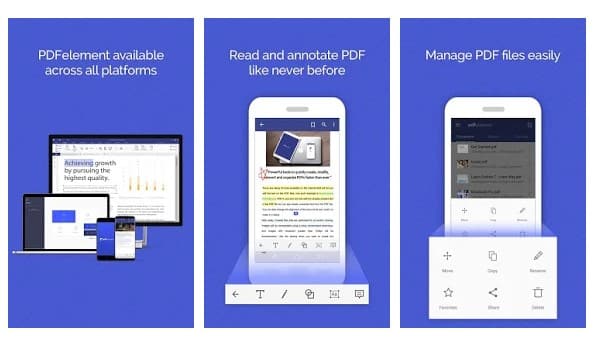
PDFelement from Wondershare is one of the best productivity tools for reading, annotating, and managing PDF files on the go. With PDFelement, you can easily combine files in different formats into a new PDF. Let’s check out how to combine multiple PDF files using PDFelement.

1. Download & install PDFelement on your Android smartphone.
download & install PDFelement

2. Once done, it will list all PDF files that are stored. If you cannot find your PDF file, you need to browse the file directory and import it.

3. Tap the icon in the top right corner, as shown below.
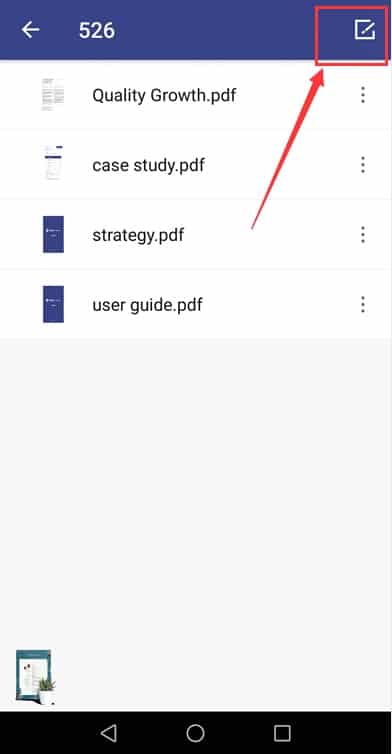
Tap on the 'Edit' icon

4. Select the PDF files you want to combine and tap the Combine icon.
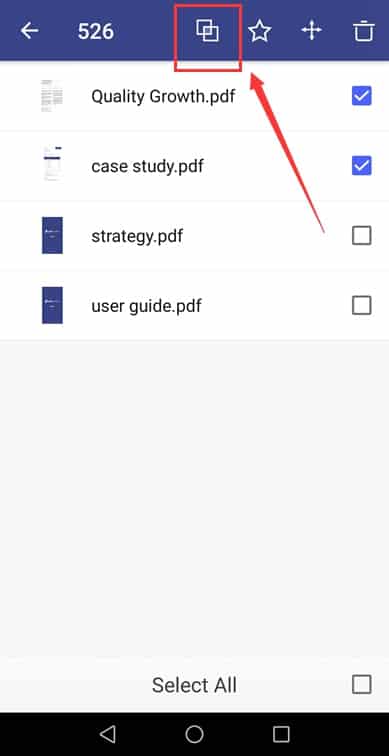
Select the PDFs that you want to merge and click on the ''Combine'' button

Now select the folder where you want to save the combined PDF file. This is how you can use PDFelement to combine PDF files on Android.

Combine PDF Files Using Combine PDF

Combine PDF is another free Android app that lets you merge PDF files. The app is available on the Google Play Store, and here’s how to use it to combine PDFs on Android.

1. Download & install the Combine PDF app on your Android device.
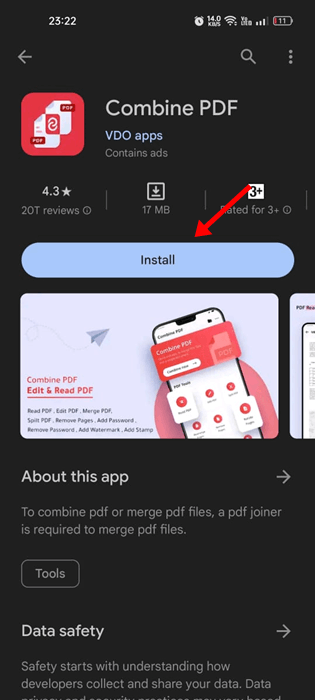
Combine PDF

2. Open the app and click the Combine Now button.
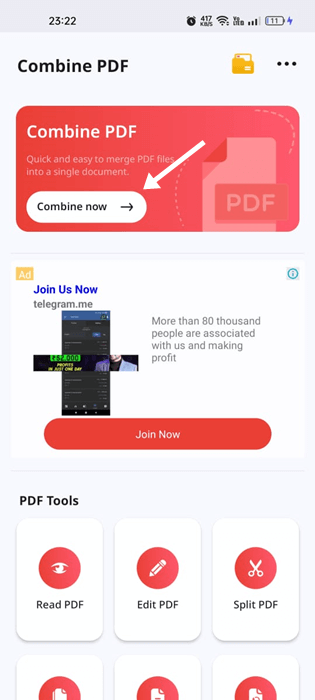
Combine Now

3. The app will ask you to grant the storage permission. Tap on the Allow access to grant permission.
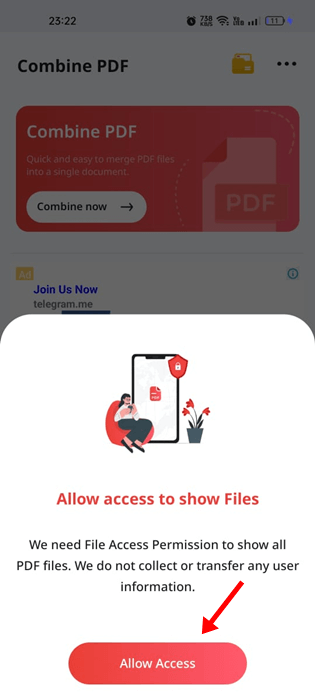
Allow access

4. Now select the PDF files you want to merge. Once selected, click on the Combine button at the bottom right.
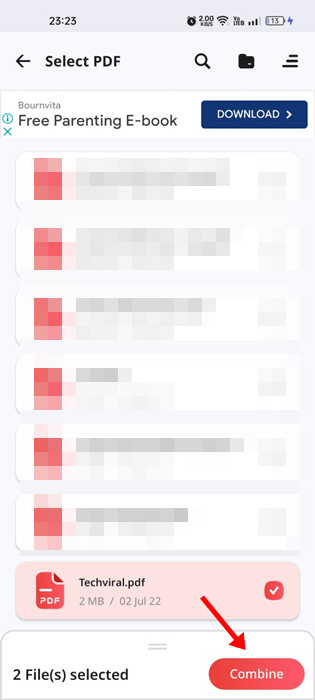
Combine

5. Now enter the PDF name and tap on Done.
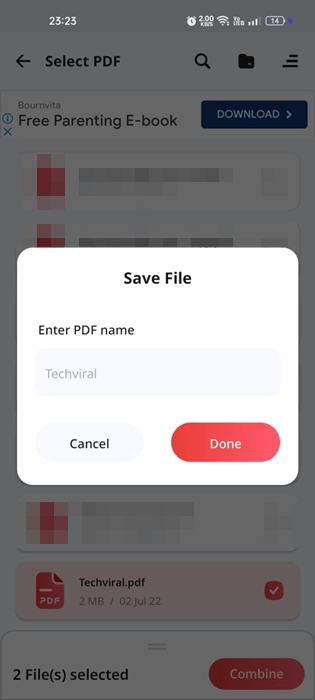
PDF name

6. This will merge your selected PDF files. Tap on the View PDF to view the merged PDF on Android.
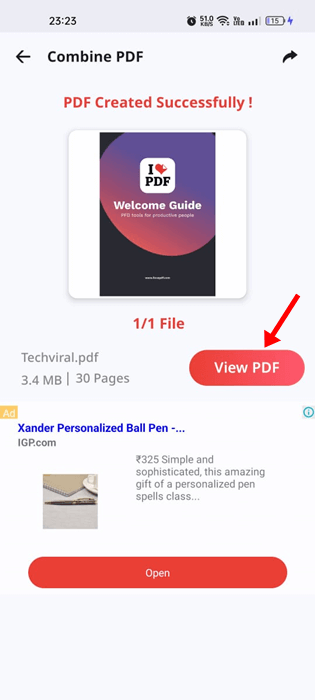
View PDF

This is how you can use the Combine PDF app on Android to combine two or more PDFs into one.

Some other apps to merge PDF files:

Like the PDFelement, plenty of other Android apps for merging PDF files are available on the Play Store. Here are some other options.

1. PDF Merge
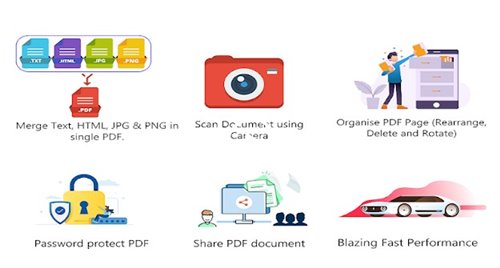
PDF Merge

As the app’s name says, PDF Merge is an Android application that lets you merge two or more PDF, web pages, JPEG, and PNG files into one compact PDF.

The good thing about PDF Merge is that it’s very easy to use and lightweight. It also supports drag and drop files. Some other features of PDF Merge include a PDF converter, PDF Compressor, and more.

2. PDF Utils
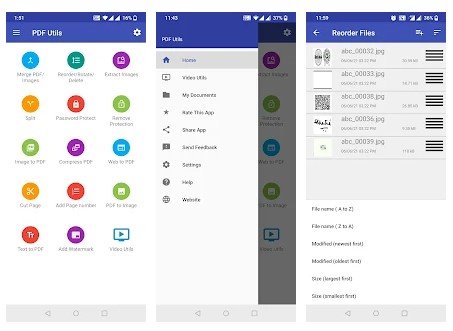
PDF Utils

If you are looking for a free and lightweight PDF utility for your Android device, look no further than PDF Utils. It provides various tools for managing PDF files.

For example, this app can merge multiple PDF files into one, convert PDF, Compress PDF files, Cut PDF files, and more.

3. iLovePDF
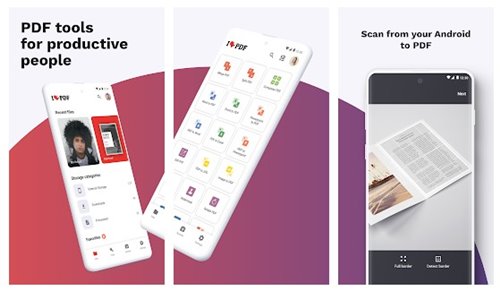
iLovePDF

iLovePDF is a full-fledged PDF app for Android smartphones. With iLovePDF, you can read, convert, annotate, and sign PDF in just a few seconds. It also has an OCR feature that turns any scanned text or image into a PDF with high accuracy.

In addition, this app can combine multiple documents into a single PDF file, split PDF, Rotate PDF, and more.

4. PDF Utility
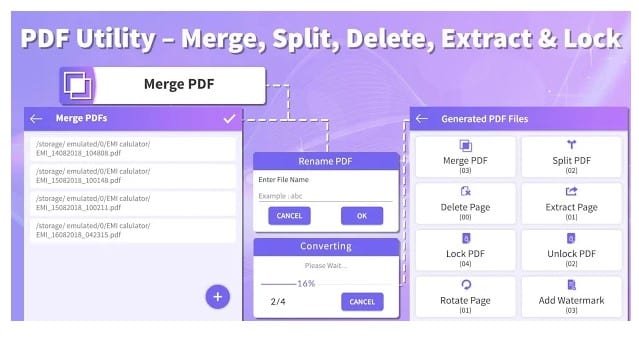
PDF Utility

Although not popular, PDF Utility is still the best option for merging PDF files on Android. With this app, you can merge PDF files, split PDF files into two, delete pages from PDF files, etc. So, it’s a complete PDF management tool that can be used for various purposes.

5. PDF Tools
PDF Tools

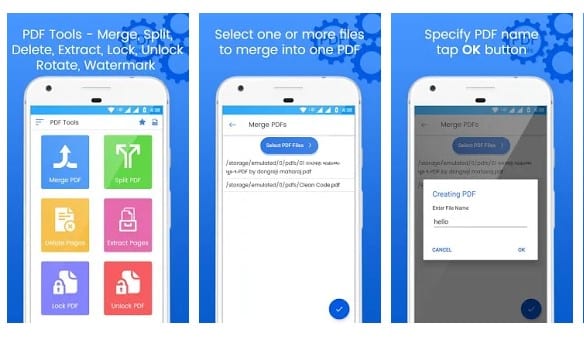
If you are searching for an Android app to merge, split, and delete pages from PDF files, you must try PDF Tools. It’s a multi-purpose PDF management tool that can convert, compress, and edit PDF files. You can even set a password to the PDF file with this app.

You can use this method or rely on PDF apps to merge your PDF files on Android. I hope this article helped you! Please share it with your friends also. If you have any doubts, let us know in the comment box below.

10 Best No Root Screenshot Apps For Android

1:38 AM 0

 Taking a screenshot of your Android phone’s screen is pretty straightforward. To capture a screenshot, you need to press the Volume and Power Buttons simultaneously and hold them for a second.

However, the stock screenshot app misses important features like the ability to capture scrolling screenshots, hiding the status & navigation bar, screenshot annotation features, etc.

If you want to get all these features, you better start using third-party screenshot apps for Android. Here are some of the best no root screenshot apps to get started.

1. AZ Screen Recorder

AZ Screen Recorder

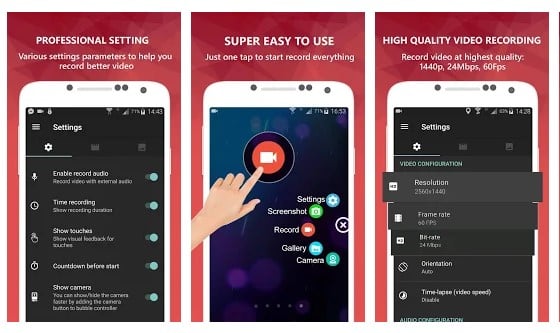
AZ Screen Recorder is a screen recording app that records your Android screen as a video. However, AZ Screen Recorder can also capture screenshots.

What’s more interesting is that AZ Screen Recorder doesn’t put any watermark on the captured screenshot. Apart from that, the app has an excellent user interface and works both on rooted and non-rooted Android smartphones.

2. Screenshot Touch

Screenshot Touch

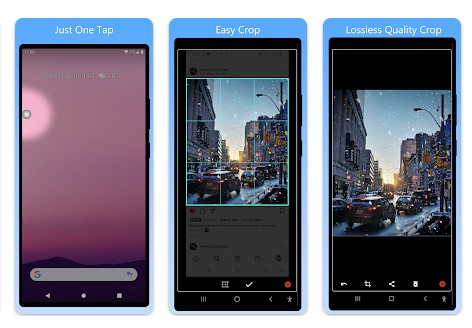
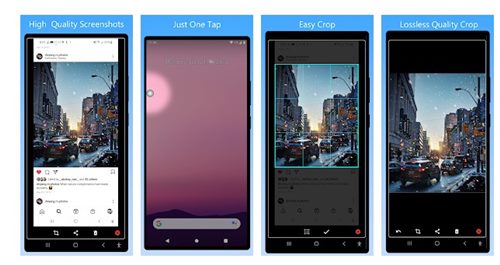
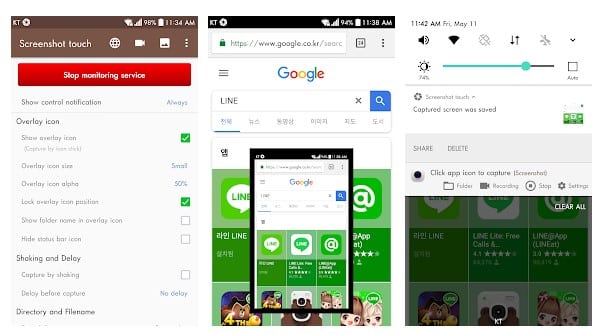
Screenshot Touch is another of the best Android screenshot apps on the list that you can use right now. Its best feature is that it packs a wide range of features, such as an image cropper, scroll capture, whole web page capture, etc.

Apart from that, the user interface makes the app stand out from the crowd, and it works on both rooted and non-rooted Android smartphones.

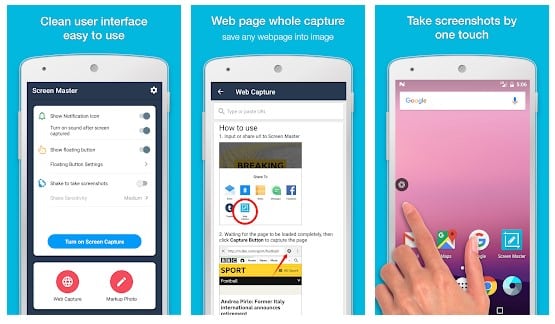
3. Screen Master

Screen Master

Screen Master is another excellent no root screenshot app for Android that you can use right now. Compared to the stock screenshot tool, Screen Master provides far more features.

The app is more interesting because of its various image annotation methods, whole web page capture, a floating button for quick capture, etc.

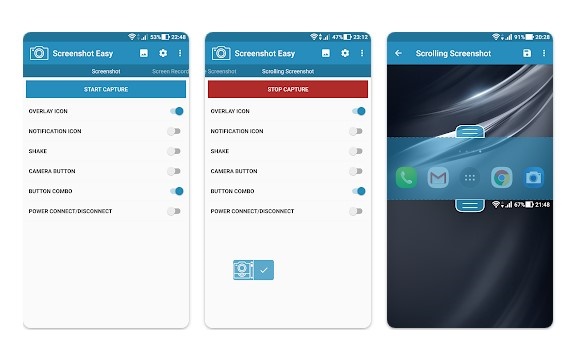
4. Screenshot Easy

Screenshot Easy

Screenshot Easy is a lightweight Android app that lets you take screenshots and record your Android screen.

The app provides you with multiple ways to screen capture and record. You can start the recording with an overlay icon on your home screen, a notification bar, a shake to capture a screenshot, etc.

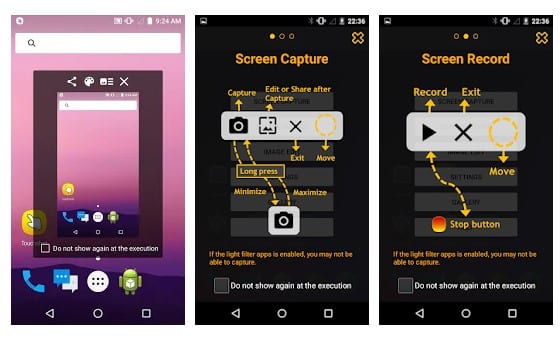
5. Touchshot

Touchshot

If you are looking for an all-in-one Android screen capture tool that can record screens, capture screens, edit screenshots, etc., then you must try Touchshot.

Touchshot is one of the best Android screenshot apps that you can have on your non-rooted Android smartphone. If you have a rooted Android smartphone, you can remove the status and softkey bars while capturing the screen.

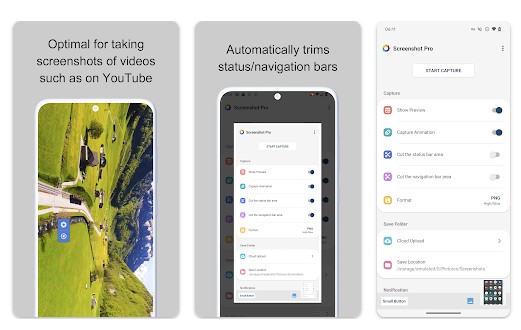
6. Screenshot -Automatic trimming

Screenshot -Automatic trimming

Screenshot -Automatic trimming is a bit different than other apps on the list. This app can capture screenshots and automatically cut the status bar and navigation bar areas.

So, if you usually capture screenshots and manually cut out the top and bottom portions, you will find this app very useful.

The app also displays an overlay shutter button for quick screenshot capture, previews of the capture, and can upload a copy of new screenshots to the cloud storage.

7. Screenshot Quick

Screenshot Quick

This app is extremely lightweight, making it a perfect pick for gamers. If you want a screenshot app that can run in the background without stressing your phone’s processing power, you should use this one.

Screenshot Quick gives you the option to capture a screenshot using an overlay button, a key shortcut, or the notification panel.

You even get an option to exclude the Status bar and Navigation bar from the screenshot, screenshot sharing features, and more.

8. Screenshot By Geeks Lab

Screenshot By Geeks Lab

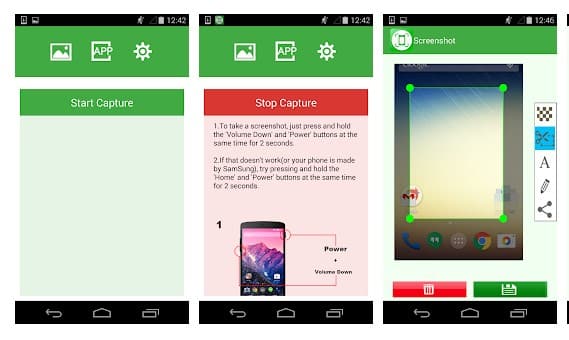
With Screenshot by Geeks Lab, you must press the power and volume down buttons to capture the screenshot.

The app also provides users with screenshot editing features like crop, trim, paint, etc. In addition, users can add mosaic, text, etc., to the screenshots with Screenshot By Geeks Lab.

9. Stitchcraft

Stitchcraft

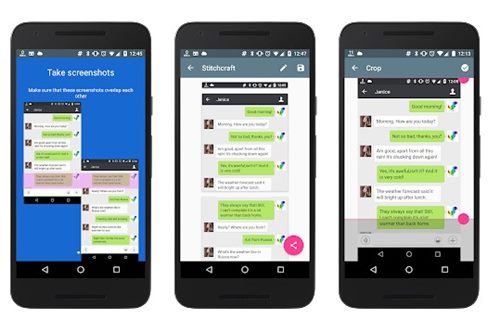
Although not famous, Stitchcraft is still one of Android’s best and most reliable screenshot apps. It is a utility that lets you stitch multiple screenshots into a long one.

With Stitchcraft, you need to capture screenshots as usual; scroll and capture the screenshot, and the app handles the stitching part.

10. Screenshot Quick Free

Screenshot Quick Free

If you are searching for a simple, free, and lightweight Android screenshot app, look no other than Screenshot Quick Free. Once installed, the app adds an overlay button on your Android screen.

You can use the overlay button to capture screenshots. Screenshot Quick Free also lets you capture screenshots with a key shortcut, notification button, and more.

These are the best no-root screenshot apps for Android smartphones. If you know of other apps like these, let us know in the comment box below.
15 Best Deepfake Apps & Websites in 2023

12:45 AM 0

 If you remember, a few months ago, Elon Musk’s Lookalike from China went viral on Instagram. The video became viral because it showed off Elon Musk’s doppelganger. When the video went viral, many users considered it a deepfake.

For those who don’t know, Deepfakes are synthetic media in which a person is an existing image or video is replaced with someone else’s likeness.

If you still need clarification about deepfake, it’s a process where you copy and paste one person’s face on another. You may think of it as a Face Swap, but deep fake videos are a bit different as they are supposed to make you believe the content you view is real.

15 Best Deepfake Apps & Websites

You need diverse video and photo editing knowledge to create deep fake videos. You need to start using Deepfake apps or services if you lack both. Below, we have shared a list of the best deepfake apps and services to create realistic deepfake videos. Let’s get started.

Important: Deepfake technology is improving slowly, but it’s important that we shouldn’t use it for unethical purposes. All of these apps and sites were shared for fun. Please don’t use it to harm the image of others.

1. Lensa

Lensa

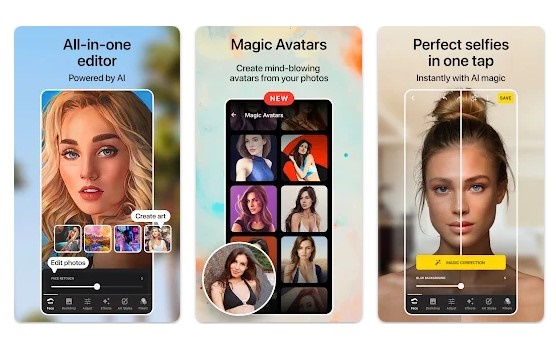
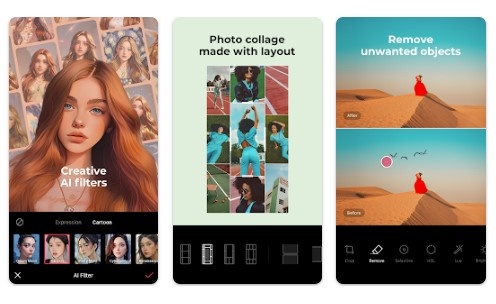
Lensa is an AI-based photo editor that has many features. While it’s not exactly a deep fake app, it has a feature called Magic Avatars that lets you create AI portraits for you.

Since it’s not a deepfake app, you can’t put your face on somebody else’s body, but it can create amazing portraits from your selfies. The portrait it creates looks realistic, and you can transform yourself into an anime character, superhero, etc.

Regarding the pricing, Lensa is free to use, but to unlock all its features and take portrait creation to the next level, you need to subscribe to the premium version of it.

Download for Android & iOS.

2. Wombo

Wombo

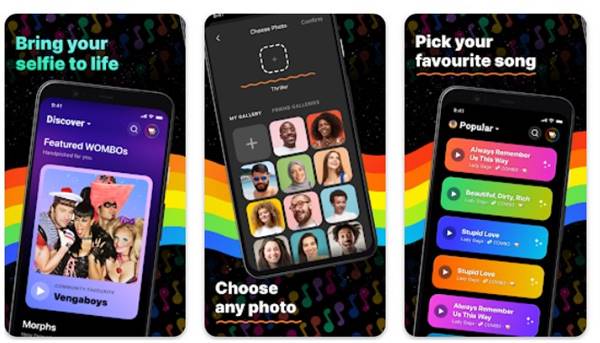
If you stay active on social networking platforms, you might have seen people sharing lip-syncing photos. You may see celebrities or influencers hilariously singing songs.

Have you ever thought about how that is made? It’s made through the Wombo app. Wombo is a free app available for Android and iOS, and it’s a great way to create deep fake videos on Android and iPhone.

To get started, the app provides you with 15 songs. You can use any of these songs to make your character sing them. The character can be anything; it can be a photo of Elon Musk, Mr. Bean, or your friend, whatever you can think of.

3. MyHeritage

MyHeritage

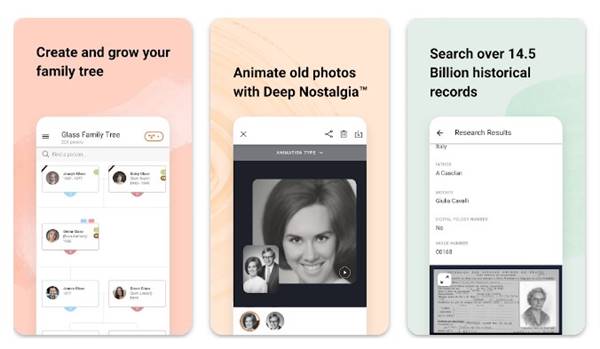
Another deep fake service is MyHeritage. It’s an app mainly used by social media influencers to animate old photos. It’s a funny service; you can use it from almost any device.

MyHeritage has a dedicated app for Android and iOS, and all you have to do is upload an image and tap on the animate button. The app will animate your photo in just a matter of seconds.

MyHeritage is great for creating viral deepfake videos, and the animated items it makes look very realistic. The animated version that the app delivers will have its face, eye, and mouth moving.

4. DeepFaceLab

DeepFaceLab

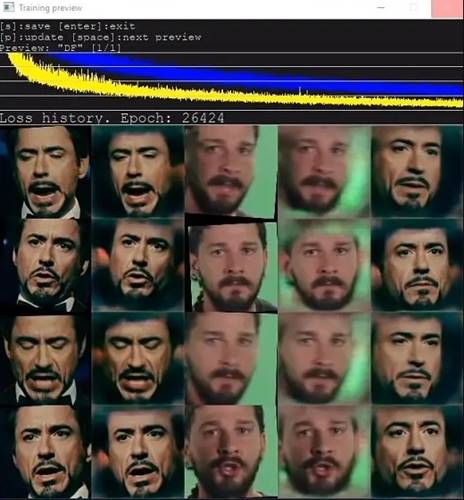
If you are searching for a Windows program that lets you create funny deepfake videos, then DeepFaceLab might be your best pick.

DeepFaceLab is a bit advanced as it uses machine learning and human image synthesis to replace faces in the videos. While the tool is mainly designed for students of computer vision, you can use it to create deepfake videos.

Since it’s not primarily designed for deep fakes, a regular user might find DeepFaceLab difficult to use. The user interface also looks outdated and needs a powerful PC to run smoothly.

5. Deepfakes web

Deepfakes web

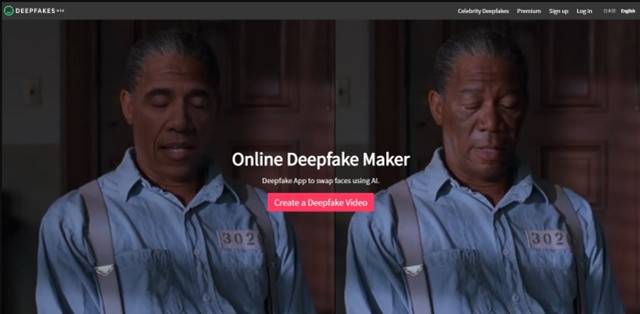
Deepfakes web is a tool on the list mainly used to create viral deepfake videos. Like every other service of similar categories, Deepfakes Web also uses Deep learning to catch various details of face data.

It’s an online Deepfake maker that’s of great use. However, to create Deepfake videos, you need a lot of patience, as it takes up to 5 hours to create a video.

Since it’s a deepfake service, it has free and premium plans. The free version can take a long to generate a deep fake video, whereas the premium version of Deepfakes web can generate videos in just 1 hour by splitting the output.

6. Faceswap

Faceswap

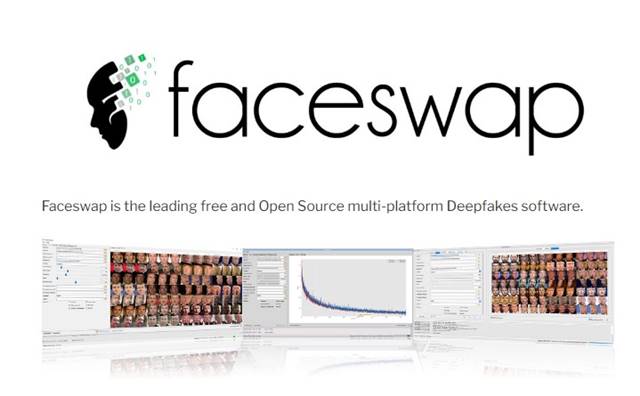
Faceswap is underrated, but it’s a great open-source multi-platform Deepfakes software you can use on Mac, Windows, and Linux operating systems.

The web tool is powered by Keras, Python, and TensorFlow, and it has a very active community of supportive members. This is great for those who want to create face swap videos with some unique touch.

The only drawback of Faceswap is that it requires a high-end GPU to run. Yes, you can run it without a powerful GPU, but the program will lag, and the output will be very slow.

7. FaceApp

FaceApp

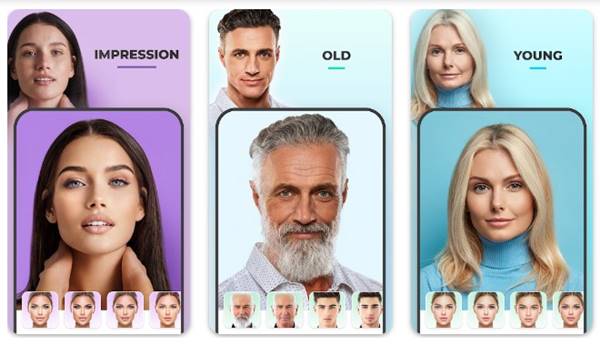
FaceApp is an AI-based photo editing tool available for Android and iOS. It isn’t a true deepfake app, but it can still help you transform your face.

FaceApp is mainly used to see how the face would look while getting old. You can use it to make your face look like when you’re old, make yourself smile, etc. You also get an option to swap your gender, apply a different hairstyle, and more.

The results of FaceApp are quite satisfactory, but the app is slow and has many bugs. However, it’s still an excellent app for creating funny photos.

8. Reface

Reface

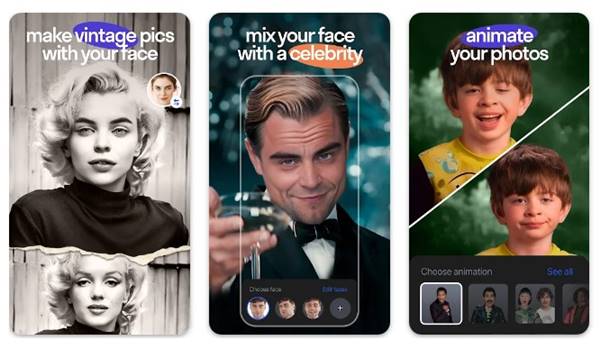
Reface is a very popular deepfake app available for both Android and iOS. It’s an app that lets you swap your face with a celebrity, superhero, TV Star, or any picture of a human being.

We have listed Reface as the best deepfake app for Android & iOS because it can also create deepfake videos.

The app has lots of video clips of popular Movies & TV Shows. You can pick those clips and swap your face with the characters shown in the video. It’s available for free, but it has many in-app purchases. Overall, Reface is a great deepfake app for Android & iOS to install and have fun with.

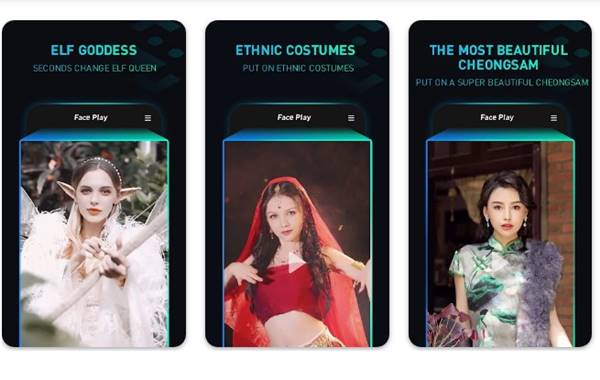
9. FacePlay

FacePlay

FacePlay is very similar to the Reface app we have listed above. It’s also available for Android and iOS and lets you create face-swap videos quickly.

To get started, FacePlay offers you many short video templates. All of the video templates on the app were free to use. You need to pick the video template and add your face to it.

In just a few taps and just one photo, the app can make you the protagonist of the short video. While the app is free to download and use, most of its video templates are locked and will be available after purchase.

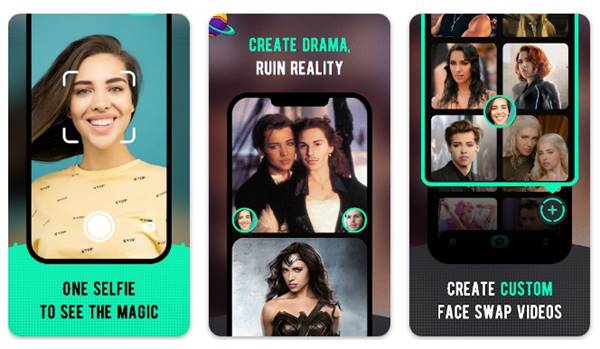
10. FaceMagic

FaceMagic

FaceMagic is an AI-based face swap video maker for Android and iOS smartphones. The concept of FaceMagic is very similar to the Reface app we have listed above.

First, you must add your face to the app, then pick the video template. After selecting a short video template, you need to add your face.

While the app is not designed for realistic deep fakes, you can still use it for that purpose. If you are not into the face swap, you can use it to create face morph memes with funny faces on the face editor.

The app offers you an option to put your face on a video of movie scenes, but the number of clips still needs to be higher. You even get a live face changer and gender swap feature.

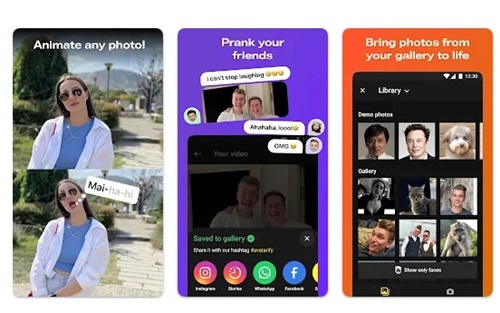
11. Avatarify

Avatarify

Avatarify is very similar to the Reface app listed above. This one will help you to bring any of your photos to life.

Basically, this app lets you create an animated version of the image with the face, eyes, and mouth moving.

Pick your photo image from your gallery and pick the music track to animate your face. Overall, Avatarify is a great app to try if you want to have fun.

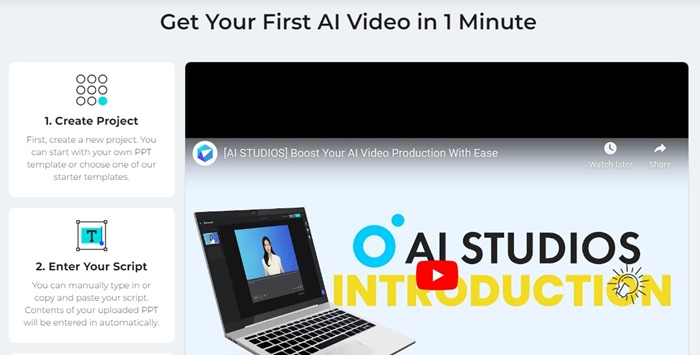
12. DeepBrain

DeepBrain

DeepBrain is a deepfake website on the list that lets you create photo-realistic AI avatars. The AI-based video creator is based on ChatGPT and is pretty powerful.

If you start using it for a while, it will become your go-to choice for creating amazing deepfake content of professional quality. To start creating an AI deepfake video, you need to get started with a template.

You can unlock all templates by purchasing the product. Overall, DeepBrain is a great deepfake website you shouldn’t miss out on.

13. EPIK – AI Photo Editor

EPIK – AI Photo Editor

EPIK – AI Photo Editor is basically a premium photo editor app that went viral on social networking platforms shortly after its launch. It’s not exactly a deepfake app, but it can make your pictures look old-school.

EPIK – AI Photo Editor is the app behind the viral AI Yearbook photo trend on social networking platforms. We have shared a detailed guide on this app; make sure to check that out.

Download EPIK for Android & iOS.

14. Deepswap

Deepswap

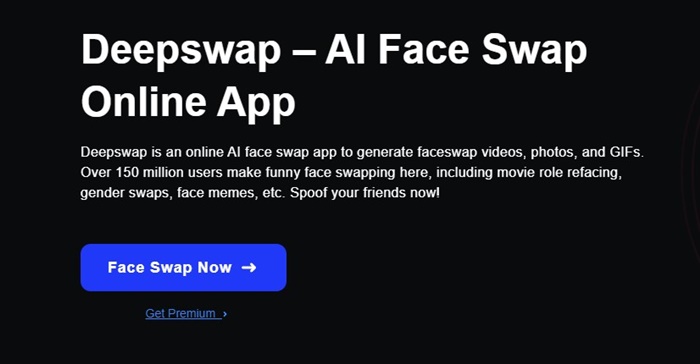
Deepswap is another great synthetic media creation service that lets you generate faceswap photos, videos, and GIFs. Compared to other deepfake apps & services on the list, Deepswap is easier to use.

The service is already used by over 100 million users worldwide for easy video manipulation. What we liked most about Deepswap is that it uses some high-quality algorithms to generate videos/photos that look realistic.

Apart from the face swaps, Deepswap also provides a few other AI-based editing features, like you can erase, filling, and Refine an image, expand the image beyond its borders, etc.

Visit Website

15. Face Swap Live

Face Swap Live

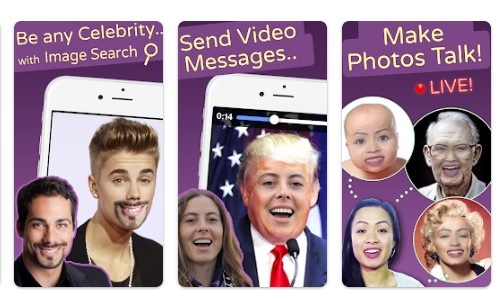
Face Swap Live is a very fun app to use on Android & iPhone. This simple app lets you switch faces with a friend or a photo in real time.

You can use this app to record videos or photos of yourself and then swap the faces with a celebrity, friend, or any fun picture from the internet.

While the app is great for creating face swap videos & photos, the output results are not entirely satisfactory. You can use other tools listed on the app to get more realistic outputs.

Download for Android & iOS.

Almost all the apps and sites listed in the article are free to download & use. So, these are some of the best free deepfake apps and websites you can use today. Let us know in the comments below if you want to suggest other deepfake apps.